
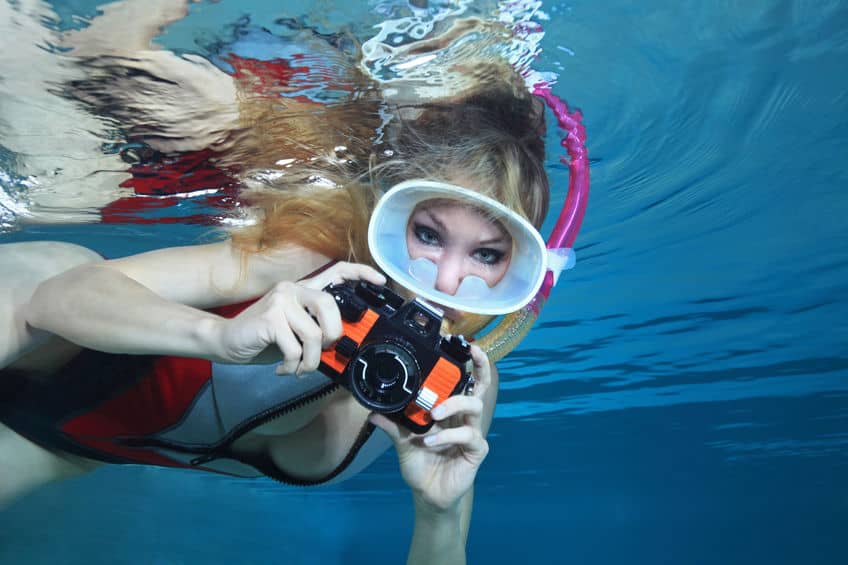
Waikiki is one of those rare places where you can stroll from your hotel, slip into the ocean, and start capturing colorful underwater moments within minutes. Whether you’re a total beginner testing the waters (literally) or a seasoned shooter breaking in new gear, snorkeling in Waikiki offers easy entries, shallow reefs, and plenty of fishy photo opportunities—especially when you know where to go and how to work with the light.
Below is an updated, camera-friendly guide to where to snorkel in Waikiki, what to expect underwater, and how to bring home photos that actually look as vibrant as the memories.
Where to snorkel in Waikiki
If you’re staying in Waikiki and want quick access + decent underwater life, there are two go-to spots: Queen’s Beach (Queen’s Surf) and Sans Souci Beach (Kaimana Beach).
1) Queen’s Beach (Queen’s Surf) – best “walk-in and shoot” spot
Queen’s Beach sits near Kapiʻolani Park, close to the Waikīkī Aquarium area. The big win here is convenience: it’s easy to enter, easy to navigate, and often has plenty of fish—especially because nearby waters fall within the Waikīkī Marine Life Conservation District (MLCD), where taking or injuring marine life is prohibited. (Hawaii DLNR)
Where to aim your snorkel (photo-wise):
- Start where the water is calm and visibility looks best.
- Work the edges (rocky structure and walls tend to attract fish).
- If conditions are mellow and you’re a confident swimmer, you may see more variety farther out—but don’t force it on a rough day.
What you’ll likely photograph:
- Reef fish in clusters (great for wide shots)
- Singles/portraits of curious fish if you slow down and let them come to you
- Occasional turtles in the general area (always give space)
2) Sans Souci Beach (Kaimana Beach) – shallow reef + rocky sections
Just south of Queen’s Beach, Sans Souci (often called Kaimana Beach) is a favorite for beginners because it’s typically a gentle, beachy entry with shallow water. Snorkeling here can be hit-or-miss depending on clarity, but the rocky areas can be rewarding. (The Kai Life)
What to know before you commit:
- Visibility can be lower near shore on some days (stirred-up sand + algae happens).
- There can be current near channels/walls, which can make the swim back feel harder than the swim out. (Tropical Snorkeling)
What you’ll likely photograph:
- Small reef fish near rocky structure
- Textures and patterns (great for practicing composition)
- Sea turtles sometimes cruise through—especially when conditions are calm
Bonus “upgrade” spot: Turtle Canyons (boat access)
If your dream shot is a turtle gliding over reef like a postcard, consider a Turtle Canyons snorkel tour. It’s offshore (generally reached by boat) and is known for frequent turtle sightings and “cleaning station” behavior. (Living Ocean Tours)
Before you grab your camera: ocean safety (and why it matters for photos)
The best underwater photo is never worth a sketchy swim. Waikiki is often calm, but conditions change fast.
A few essentials:
- Check conditions and ask a lifeguard if you’re unsure. (Hawaii Ocean Safety)
- Avoid snorkeling in high surf, strong currents, or heavy shorebreak—these are bad conditions for snorkeling and bad conditions for sharp photos. (Hawaii Ocean Safety)
- Reefs, groins, and seawalls can be sharp and hazardous—give yourself room. (Safe Beach Day)
- Swim with a buddy and stay within your comfort zone.
Know your equipment (so you’re not fumbling underwater)
You can absolutely shoot Waikiki with anything from a disposable waterproof camera to a GoPro to a phone in a housing—but test everything first.
Quick “pre-snorkel camera check” (2 minutes that save your whole shoot)
- Battery charged + memory space cleared
- Any housing sealed (and checked for sand/hair on the gasket)
- Lanyard attached (ocean butterfingers are real)
- Settings set on land (underwater is not the time to learn menus)
If your mask or lens fogs, anti-fog drops and a quick rinse can be the difference between “wow” and “why is everything cloudy?”
Using sunlight like a pro (without carrying lights)
Underwater photography is basically a game of: light + distance + stability.
Best times to shoot in Waikiki
- Midday (roughly late morning to early afternoon): brightest overall, easiest for sharp photos
- Morning/late afternoon: softer light, prettier tones above water, but you’ll lose brightness fast underwater
Sun position = instant color upgrade
For the most vibrant colors:
- Keep the sun behind you when shooting your subject (your subject gets lit; your camera sees the color).
- If you shoot into the sun, you can get dramatic rays—but your exposure gets trickier.
“But what if it’s cloudy?”
Cloudy days can still be fun. Your images may skew blue/green, but that’s very fixable in editing. (Your secret is safe.)
Friendly waters… aren’t always crystal clear
Even on a calm day, water clarity changes with:
- crowds (sand gets kicked up)
- surge/current
- fish feeding and sand movement
Your best fix is simple: get closer.
The less water between your lens and your subject, the less haze, backscatter, and washed-out color you’ll have to fight. If you remember one underwater rule, make it this:
Get close. Get closer than that. Then get a little closer.
Best underwater camera practices while snorkeling
1) All about angles
The easiest way to level-up your photos fast:
- Shoot from the side or front, not from above.
- If you hover upright and fin around, you’ll stir up sand and ruin visibility.
- Try a gentle, streamlined approach and keep your movement smooth.
2) Up close and personal (without bothering wildlife)
Stay close—but never touch or chase. Approach slowly, and let curious fish come to you.
A fun trick: if a fish is moving, don’t follow directly behind it. Instead:
- predict its path
- swim ahead
- hold still
- let it “enter” your frame
3) Set the scene (background matters)
A busy reef can swallow your subject. To separate it:
- shoot slightly upward (adds depth and helps your subject pop)
- use open water as negative space
- look for clean backgrounds (sand patches, blue water, simple rock)
4) Get the best shot: simple composition that works underwater
Underwater is chaotic—in a good way. Give your photo structure:
- Imagine your frame divided into thirds (rule of thirds)
- Place the subject off-center
- Leave “swim room” in front of moving fish/turtles so the shot feels alive
Best underwater cameras for snorkeling in Waikiki
You don’t need a Hollywood rig for Waikiki. Here are smart, realistic options—beginner to “I’m serious about this.”
GOOD: Waterproof disposable camera (simple, nostalgic, beginner-friendly)
A waterproof disposable is great if you want low-stress fun and don’t mind film limitations. It’s not the sharpest option, but it’s a playful way to practice framing and timing.
Best for: first-timers, kids, “I just want memories”
BETTER: Budget action cam (value + lots of accessories)
Budget action cams like the AKASO EK7000 remain popular because they’re affordable, simple, and often sold in big accessory bundles. With the included housing, it’s rated for significant depth (great peace of mind), and it’s easy to mount to a float handle. (Shop-AKASO)
Best for: beginners who want video + photos without GoPro pricing
BEST: GoPro HERO13 Black (sharp, stable, travel-easy)
If you want the easiest path to crisp snorkeling video and punchy photos, a current GoPro is hard to beat. The HERO13 Black is described as rugged and waterproof to 33 ft / 10 m without a housing, and you can go deeper with a protective housing. (GoPro Community)
Best for: travelers who want the most “wow” with the least fuss
Worth a look: DJI Osmo Action 6 (serious specs + deeper waterproof rating)
If you’re choosing between top-tier action cams, DJI’s Osmo Action 6 lists waterproof performance up to 20 m without a case (and 60 m with a case)—which is impressive if you also do a lot of water sports beyond snorkeling. (DJI Official)
Best for: action-cam shooters who want top specs and extra waterproof headroom
Also great: OM SYSTEM Tough TG-7 (rugged compact camera vibes)
If you prefer a “real camera” feel in a compact body, the Tough TG-7 is built for underwater use and is rated waterproof to 15 m. (OM SYSTEM)
Best for: travelers who want a dedicated camera (not just an action cam)
But what about my iPhone?
You can absolutely shoot Waikiki snorkeling photos with your iPhone—if you protect it properly.
Modern iPhones have strong water resistance ratings (for example, iPhone 15 Pro is rated IP68 up to 6 meters for up to 30 minutes under IEC standard 60529), but water resistance is not the same as “risk-free underwater camera,” and it can degrade over time. (Apple Support)
Best practice: use a quality waterproof case/housing and a float strap, even if your phone is “water resistant.”
Quick iPhone snorkeling tips:
- Use the 1x lens for cleaner edges (ultra-wide can look softer underwater)
- Tap-and-hold to lock focus/exposure (so brightness doesn’t jump around)
- Shoot short clips, then grab still frames later (you’ll often “catch” the perfect moment mid-video)
A tiny editing workflow that makes your photos pop
Even great underwater shots usually need a little polish.
Try this:
- Warm it up slightly (adds back natural tones)
- Add a touch of contrast
- Nudge vibrance (not saturation) so colors look alive, not neon
- Reduce haze a little if the water looks milky
That’s it. Five minutes per photo can turn “nice” into “frame it.”
FAQ (because everyone asks these in Waikiki)
Is snorkeling in Waikiki good for beginners?
Yes—especially at the calmer beaches—but always check conditions and ask a lifeguard if you’re unsure. (Hawaii Ocean Safety)
Where are the best snorkeling spots in Waikiki?
Most visitors stick to Queen’s Beach and Sans Souci/Kaimana Beach for easy entries and nearby reef structure.
Is the Waikiki Marine Life Conservation District real—and does it matter?
Yes. The Waikīkī MLCD exists to protect marine life, which is one reason snorkelers can often see good fish activity in the area. (Hawaii DLNR)
Can I get good underwater photos without a fancy camera?
Absolutely. Light + getting close + steady movement matters more than price.
What’s the #1 mistake people make with underwater photos?
Shooting from too far away. Water steals color and contrast fast—close distance is everything.
Should I use a mask-mounted camera?
It’s convenient, but it can bob in and out of the water and miss framing. A float handle often gives you steadier, more intentional shots.